
Do you spend your time trying to read every single notification instead of actually getting work done?
When I started my first job, I jumped from one message to another, and I could hardly focus.

Looking back now, I know my real problem wasn’t the messages — it was how I was managing my workload.
So, I started looking for ways to break this constant interruption, not only by turning off pings, but by learning how to balance my daily time and tasks so I would improve.
Understand Your Task/Time Balance

What is workload management?
It isn't about knowing all there is.
It’s about how you balance your tasks with limited time and energy.
When that balance is off, notifications feel like an emergency, and you lose control over your workload.
Examples of how balance affects your workload management:
 Not Helpful
write notes anywhere.
work on 2 tasks using 30 browser tabs.
multitask on 3 tasks at once.
 Helpful
write notes in one place (stay organized).
keep browser tabs open that relate to your current task (helps maintain deep focus).
work on the top priority task first (finish what matters)!
How did I learn to balance my tasks and time?
I started learning more about maintaining an organized workflow:
I ask for clarity before I work.
I use a tracker for work, not memory.
I focus on the top daily priority, not multitasking.
1. Ask For Clarity Before You Start
When I was assigned my first big task, I was so excited that I rushed into work without understanding the basics first.
That led to an exhausting loop of notifications, like this:
spent the first hour figuring out what to do.
received "fix this" notifications.
rushed back to work and received another set of "basic fix" notifications.
I was focused on being present and fast, rather than understanding first.
What should I have done instead?
written down every question I didn't know the answer to (instead of assuming).
asked for structured feedback to know exactly what I should have enhanced.
understood feedback first, then applied edits to ensure the notification loop was reduced.
Quiz
Your team leader assigns you a complex task for the first time. You've read the instructions, but you honestly don't feel confident that your results will be good enough. It's due in five days. Here are some options for your first step:
A. Submit your work and learn through feedback.
B. Highlight what you're struggling with step by step.
C. Inform your team leader that the task is hard.
D. Ask specific questions about what you don't understand.
Quiz
What is the first thing you should do?
2. Use a Tracker
When you try to remember every due date, every task, and every edit, you'll start reacting to every single new notification as an emergency.
Imagine sitting downand trying to focus, only for pings to disturb you, and you start recalling information like this:
ping 1: Feedback sent for Task 3: due date is not changed.
ping 2: Task 2 is due in two days.
ping 3: Work on the next task for Goal 3.

response 1: Was the due date changed? I don’t even remember when it was!
response 2: Oh! Did I finish the edits on task 2?
response 3: What were the Goal 3 tasks again?
The result? Your brain can’t remember everything, and you're always stressed.
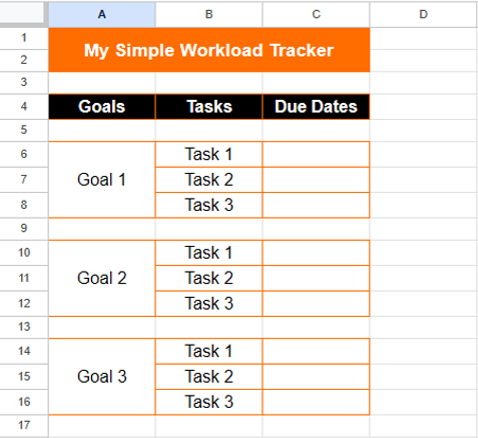
Stop trying to memorize updates! Build a simple tracker:
list your goals, tasks, and due dates.
spend 5 minutes at the start or end of every day updating your tracker with new tasks and updates.
work on one task at a time based on priority, not memory.
3. Focus on Your Top Daily Priority
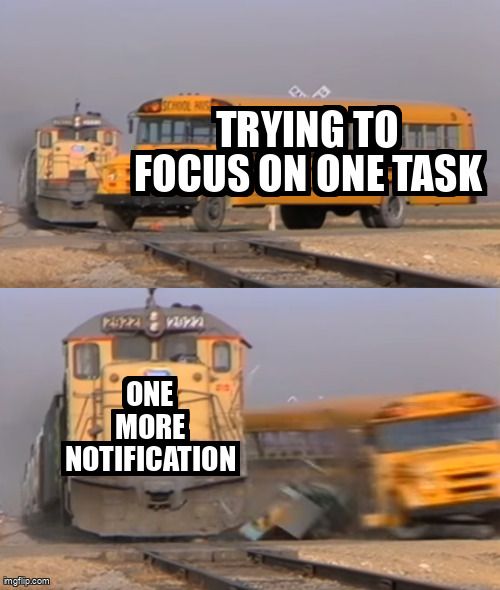
As a junior, I wanted to learn and grow so fast that I worked on multiple tasks at the same time.
I didn’t learn or grow — all I did was overwhelm myself.
How can focusing on one task change your workload management?
It helps you:
gain specific knowledge by working on one topic for a period of time.
handle 'fix this' notifications for one specific task at a time, rather than shuffling through mixed messages.
acquire a sense of accomplishment by finishing important tasks at the end of every day/week.
 3 tips that helped me focus:
choose tomorrow's top 1 task today.
work based on sessions, not hours, 20-40 minutes each.
close my email/chat apps entirely when I start.
Take Action
 Photo by Mick Haupt on Unsplash
Your feedback matters to us.
This Byte helped me better understand the topic.